anywidget-instruments-aeronautics
Not for navigation
These widgets are for visualization, teaching and simulation. They are not certified avionics and must never be used to fly an aircraft, to navigate, or in place of an aircraft's own instruments. See the safety notice of the library.
anywidget-instruments-aeronautics
provides flight instruments as AFM modules built on the anywidget-instruments
core: the basic six, airspeed, attitude, altimeter, turn coordinator, heading
and vertical speed. The plugin bundles its front end unmodified, so its
widgets are available in Grafana without a URL or network access, as built-in
widgets named anywidget_instruments_aeronautics:<Class>.
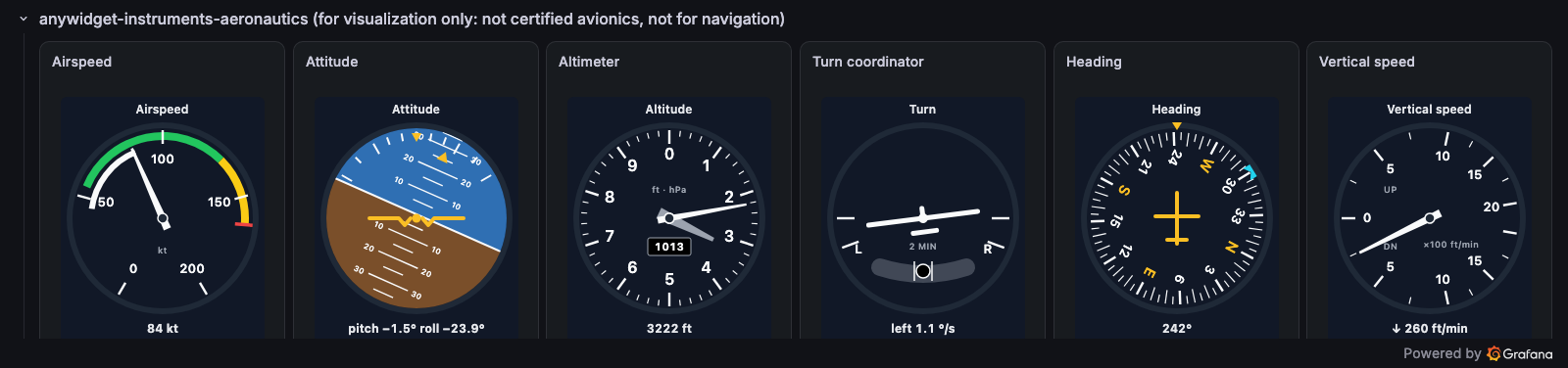
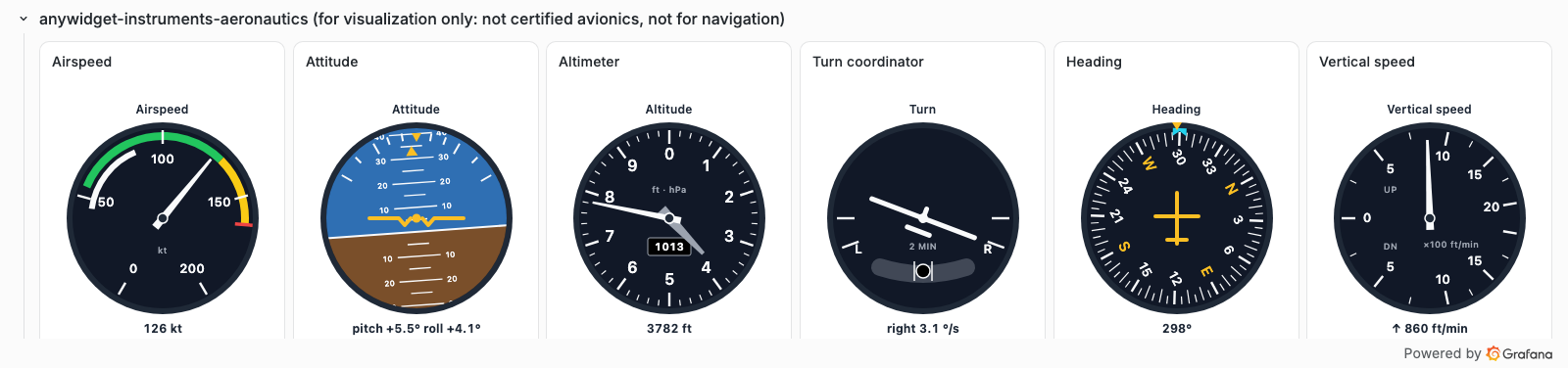
The flight instruments of the demonstration dashboard, fed by TestData.
Use a widget in a panel
- In the panel editor, section Widget, choose Built-in widget, then a
widget of the anywidget-instruments-aeronautics group, for example
anywidget_instruments_aeronautics:Altimeter. - In Static traits, set the traits of the widget, with the names and values
of the widget catalog,
for example
{"pressure": 1013, "unit": "m"}. - In Trait bindings, bind the values to the query (source Field (reduced), with the field name when the query returns several).
| Widget | Values to bind | Static traits |
|---|---|---|
AirspeedIndicator |
value |
unit, input_unit, max, white_arc, green_arc, yellow_arc, vne |
AttitudeIndicator |
pitch, roll (degrees) |
|
Altimeter |
value |
unit, input_unit, pressure, pressure_unit |
TurnCoordinator |
rate (°/s) |
slip (or bind it) |
HeadingIndicator |
value (degrees) |
bug |
VerticalSpeedIndicator |
value |
unit, input_unit, max |
A widget shows NO VALUE until its values arrive, and INVALID for a trait its schema rejects, never a guessed figure.
Version and updates
The bundled front end is the commit recorded in
src/widgets/anywidget-instruments-aeronautics/SOURCE.json, under its
BSD-3-Clause license, vendored by scripts/vendor-aeronautics.mjs
(Development).