anywidget-instruments-automotive
Safety notice
These widgets are for visualization, teaching and simulation. They are not vehicle instruments, and no widget is meant to be operated while driving: do not look at or use a dashboard while driving. See the safety notice of the library.
anywidget-instruments-automotive
provides automotive instruments (speedometer, tachometer, fuel and temperature
gauges, tell-tales, trip computer, odometer, gear indicator, electric vehicle
gauges and the cluster that arranges them) as AFM modules built on
anywidget-instruments-industrial. The plugin bundles its
front end unmodified, so its widgets are available in Grafana without a
URL or network access, as built-in widgets named
anywidget_instruments_automotive:<Class>.
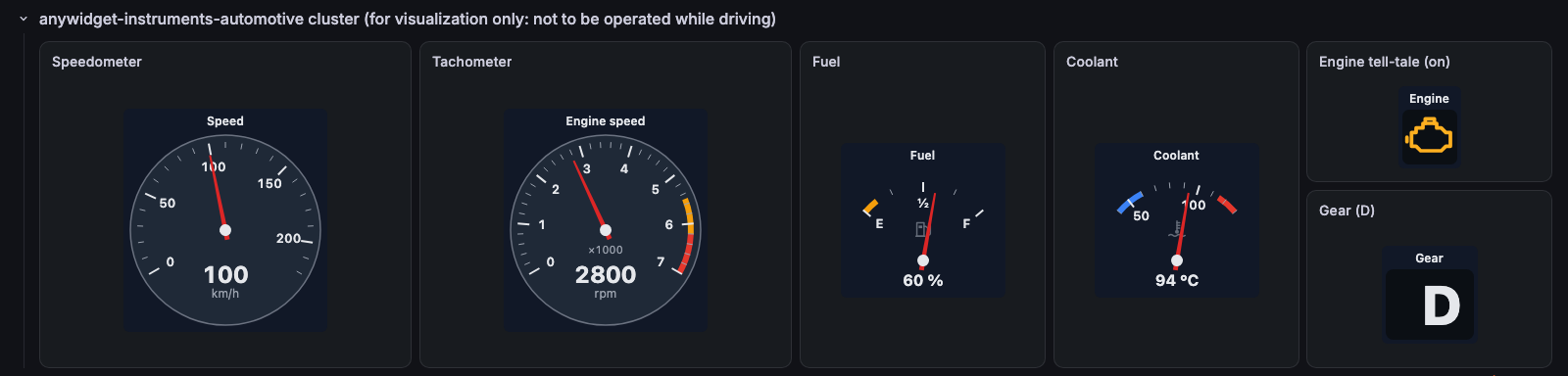
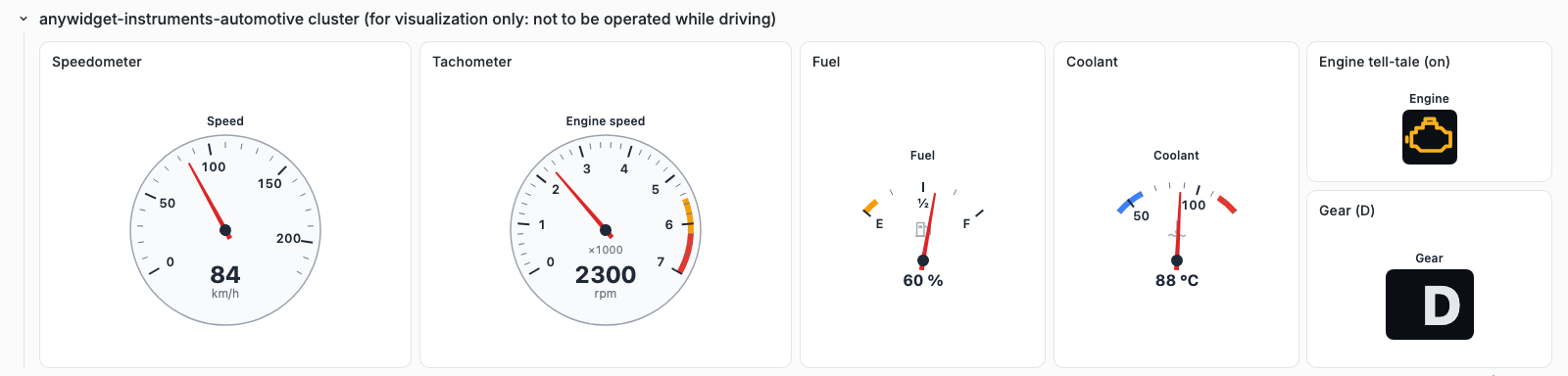
The automotive cluster of the demonstration dashboard, fed by TestData; the
engine tell-tale reads the telltale variable and the gear indicator the
gear variable.
Use a widget in a panel
- In the panel editor, section Widget, choose Built-in widget, then
a widget of the anywidget-instruments-automotive group, for example
anywidget_instruments_automotive:Speedometer. - In Static traits, set the traits of the widget, with the names and
values of the
widget catalog,
for example
{"max": 240, "zones": [{"from": 200, "to": 240, "kind": "danger"}]}. - In Trait bindings, bind
valueto the query (source Field (reduced)) or to a dashboard variable.
The panel sets _kind (which widget of the bundle to draw) and
theme: "system" (follow the Grafana theme) before the static traits; both
can be overridden.
| Widgets | value in Grafana |
|---|---|
Speedometer, Tachometer, FuelGauge, TemperatureGauge, StateOfChargeGauge, PowerMeter, Odometer |
a number, bound to a field |
TellTale |
"off", "on" or "blinking", from a variable (parse text); function selects the symbol |
GearIndicator |
"P", "R", "N", "D" or a gear number, from a variable |
TripComputer, PowerFlow, TellTaleCluster, Cluster |
an object or an array, from static traits or a JSON variable |
A value the trait contract rejects is shown as invalid, and a missing value as missing, never as zero.
Version and updates
The bundled front end is the commit recorded in
src/widgets/anywidget-instruments-automotive/SOURCE.json, under its
BSD-3-Clause license. It carries its own copy of the base view and styles, so
it does not depend on the industrial bundle.
Development gives the
steps to update it.
See also
- anywidget-instruments-automotive documentation: widget catalog, use with CAN & CANopen Studio, safety notice.
- anywidget-instruments-industrial: the instrumentation widgets.