TripComputer
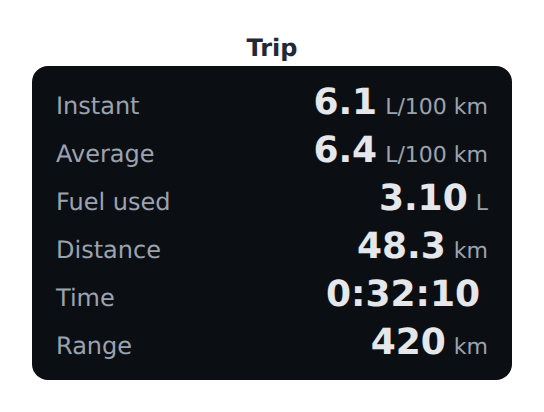
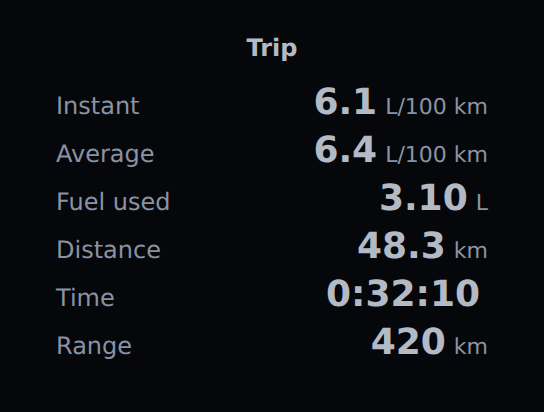
Click the picture to drive it in a marimo notebook, in your browser.
The figures of a trip, computed by the front end from the raw figures a host reads — the rules of the trip computer of CAN & CANopen Studio:
trip = aa.TripComputer({"speed": 92, "fuel_rate": 5.6, "distance": 48.3,
                        "fuel_used": 3.1, "elapsed": 1930, "range": 420})
trip.update(speed=88, fuel_rate=5.1)
value holds speed (km/h), fuel_rate (L/h), distance (km), fuel_used (L),
elapsed (s) and, optionally, range (km), each a number or None.
- Instant and average consumption, fuel used, distance and elapsed time (DIG-001).
- Below 5 km/h the consumption is given per hour — per 100 km it tends to infinity at a standstill — and the line says so (DIG-002). In mpg a zero consumption has no figure either (UNIT-016).
- No average before 0.1 km: a dash, and after 0.1 km (DIG-003).
- The range, only where it is given (DIG-004).
- L/100 km, L and km in
metric; mpg, gallons and miles inimperialandus;unitsets the consumption unit alone ("km/L", for instance).
Electric drivetrains
TripComputer(..., energy="electric") takes power (kW) and energy_used (kWh)
instead of the fuel figures and gives the energy consumption in kWh/100 km, or mi/kWh
in imperial and us, with the same rules: the power below 5 km/h, no average before
0.1 km (EV-006). While regenerating it shows the power regenerated, never a negative
consumption.
aa.TripComputer({"speed": 96, "power": 15.8, "distance": 62.4, "energy_used": 10.3},
                energy="electric")
Digital displays · Widget catalog · Specification · Safety notice