Pipe
Pipe segment: straight, elbow, tee or cross, rotated by 0, 90, 180 or 270 degrees (SCADA-004).
Process symbols · Widget catalog · API reference ·
schema pipe.schema.json
Example
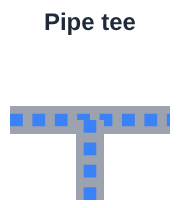
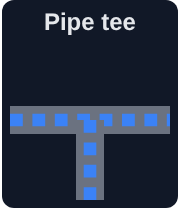
The traits of the picture above:
ai.Pipe(value=True, label="Pipe tee", shape="tee")
Traits
| Trait | Type | Default | Set by | Description |
|---|---|---|---|---|
flow_animation |
boolean | true |
host | Animate a moving pattern while flowing (off when reduced motion is requested). |
flow_direction |
"forward", "reverse" |
"forward" |
host | Direction of the moving pattern. |
fluid_color |
string | "" |
host | CSS color of the fluid; unsafe colors are ignored (SEC-002). |
mode |
"control", "indicator" |
"indicator" |
host | "control": the user sets the value; "indicator": display only. |
rotation |
0, 90, 180, 270 |
0 |
host | Rotation in degrees. |
shape |
"straight", "elbow", "tee", "cross" |
"straight" |
host | Unrotated: straight left to right, elbow left to bottom, tee left to right with a branch to the bottom, cross all four sides. |
size |
array | [80,80] |
host | [width, height] in CSS pixels. |
thickness |
number | 14 |
host | Pipe thickness in pixels. |
value |
boolean | false |
host | True while the fluid flows. |
Common traits (7), shared with other widgets
| Trait | Type | Default | Set by | Description |
|---|---|---|---|---|
label |
string | "" |
host | Plain text, never interpreted as HTML (SEC-002). |
disabled |
boolean | false |
host | Greyed out, input rejected. |
visible |
boolean | true |
host | |
tooltip |
string | "" |
host | Plain text shown on hover. |
style |
"modern", "classic", "system" |
"modern" |
host | |
theme |
"auto", "light", "dark", "system" |
"auto" |
host | "auto": the style decides; "system": the host page or the operating system (STYLE-007). |
skin |
object | {} |
host | Replaceable drawing parts: part name -> SVG source, sanitized (STYLE-005, STYLE-006). |
Set by: host, the program (Python, Julia, ...); widget, the user through the widget;
derived, computed from other traits by the host that owns the state, or by the widget.
See the trait contract.