ThemeSwitch
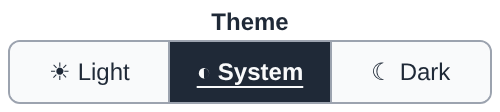
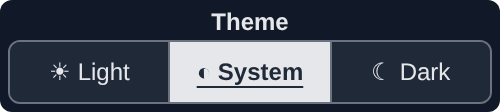
Three-position switch for the theme: light, system, dark (STYLE-007, STYLE-008).
Layout and session · Widget catalog · API reference ·
schema themeswitch.schema.json
Example
The traits of the picture above:
ai.ThemeSwitch(value="system", label="Theme", page_theme=False)
Traits
| Trait | Type | Default | Set by | Description |
|---|---|---|---|---|
page_theme |
boolean | true |
host | Also switch the notebook page theme where the host allows it (marimo). |
size |
array | [240,30] |
host | [width, height] in CSS pixels. |
value |
"auto", "light", "system", "dark" |
"auto" |
host, widget | Selected theme; auto until a position is chosen. With a Python kernel, every widget of the kernel follows it; other hosts apply the page theme only (STYLE-008). |
Common traits (8), shared with other widgets
| Trait | Type | Default | Set by | Description |
|---|---|---|---|---|
mode |
"control", "indicator" |
"control" |
host | "control": the user sets the value; "indicator": display only. |
label |
string | "" |
host | Plain text, never interpreted as HTML (SEC-002). |
disabled |
boolean | false |
host | Greyed out, input rejected. |
visible |
boolean | true |
host | |
tooltip |
string | "" |
host | Plain text shown on hover. |
style |
"modern", "classic", "system" |
"modern" |
host | |
theme |
"auto", "light", "dark", "system" |
"auto" |
host | "auto": the style decides; "system": the host page or the operating system (STYLE-007). |
skin |
object | {} |
host | Replaceable drawing parts: part name -> SVG source, sanitized (STYLE-005, STYLE-006). |
Set by: host, the program (Python, Julia, ...); widget, the user through the widget;
derived, computed from other traits by the host that owns the state, or by the widget.
See the trait contract.